Direct answer
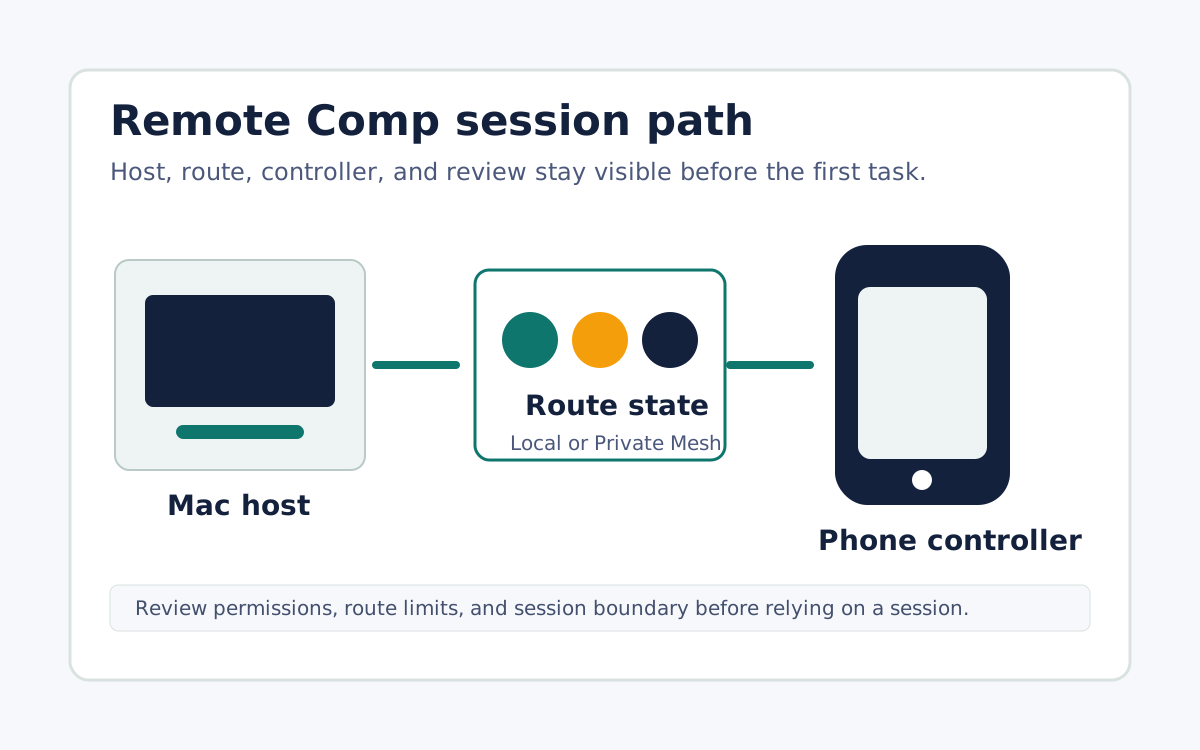
Remote Comp is a phone-native remote-control workflow for supported Mac sessions. You install the menu bar agent on the host, approve the required permissions, pair a controller, and use either a Local Network route nearby or a saved Private Mesh route away from the desk.
Steps
Install the host where the work already lives
Start on the Mac that has the app state, files, hardware, or browser profile you need. Remote Comp works best when the host is the source of truth for the task.
Approve setup before depending on it
Review the permissions, supported device state, and route limits before treating a session as ready for important work.
Pair the controller and prove the route
Use the phone or tablet controller only after pairing succeeds and the route state is visible enough to diagnose slow or blocked sessions.
FAQ
Is Remote Comp a general unattended device-management system?
No. Public copy should present Remote Comp as a deliberate remote-control workflow with visible setup and route boundaries.
What is the fastest way to evaluate it?
Pick one concrete desktop task, pair the host, check the route, and compare the session against that task instead of every possible remote-access use case.
Did this help?
Setup and route proof come before stronger claims.