Short answer
Pick by fit, not by reputation. Splashtop is a widely used, cross-platform remote access tool for attended and unattended sessions across Windows, Linux, macOS, and mobile devices, so it suits broad remote access, IT support, and mixed hardware. Remote Comp is intentionally narrow: phone-native remote control for supported Mac workflows, pairing a Mac menu bar host with an iPhone or iPad controller while keeping setup, permissions, route state, and limitations visible. Choose Remote Comp when the job is operating your own trusted Mac from your phone and you want the permission and route boundary in plain sight. Choose Splashtop when you need cross-platform reach or a Windows or Linux host, which Remote Comp does not provide. On performance, trust only a route-scoped latency check on the exact path you will use, because one local-network benchmark is evidence for that run and not a blanket comparative claim.
Name the job before the brand
Start by writing down the host, the controller, the route, and the first task. Operating one trusted Mac from your own phone is a narrower job than providing broad remote access across many machines and operating systems. When the work is Mac-centered and personal, a phone-to-Mac tool usually fits best. When the work spans operating systems, teams, or unattended machines, a general remote access product usually fits best. Choosing on the concrete task keeps this comparison useful instead of turning it into a contest between category leaders.
What Splashtop covers at the category level
Splashtop is a general remote access product. At a durable level it supports attended and unattended sessions across Windows, Linux, macOS, and mobile platforms and is used broadly for remote work and IT support. We deliberately avoid quoting its pricing or perishable feature specifics, because those change and are not ours to certify. The durable takeaway for this page is that Splashtop is the broad, cross-platform option: its strength is reaching many kinds of devices and users rather than specializing in controlling one Mac you own from a phone.
What Remote Comp does, and its limits
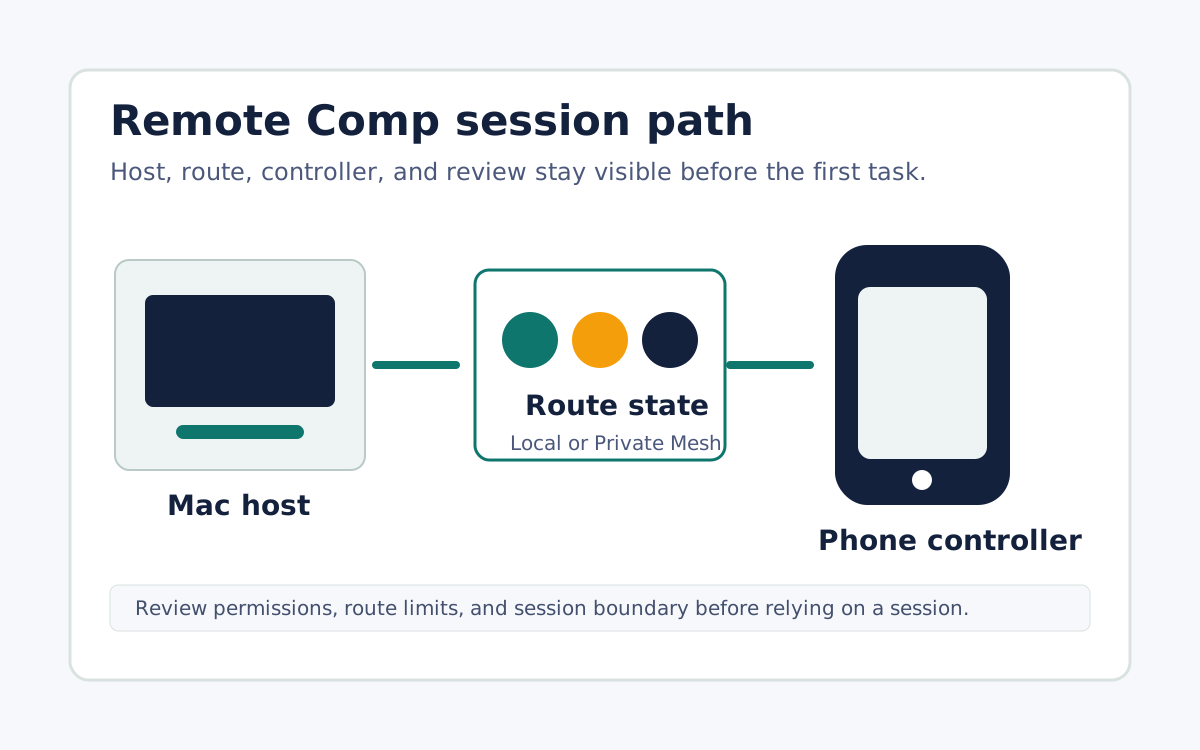
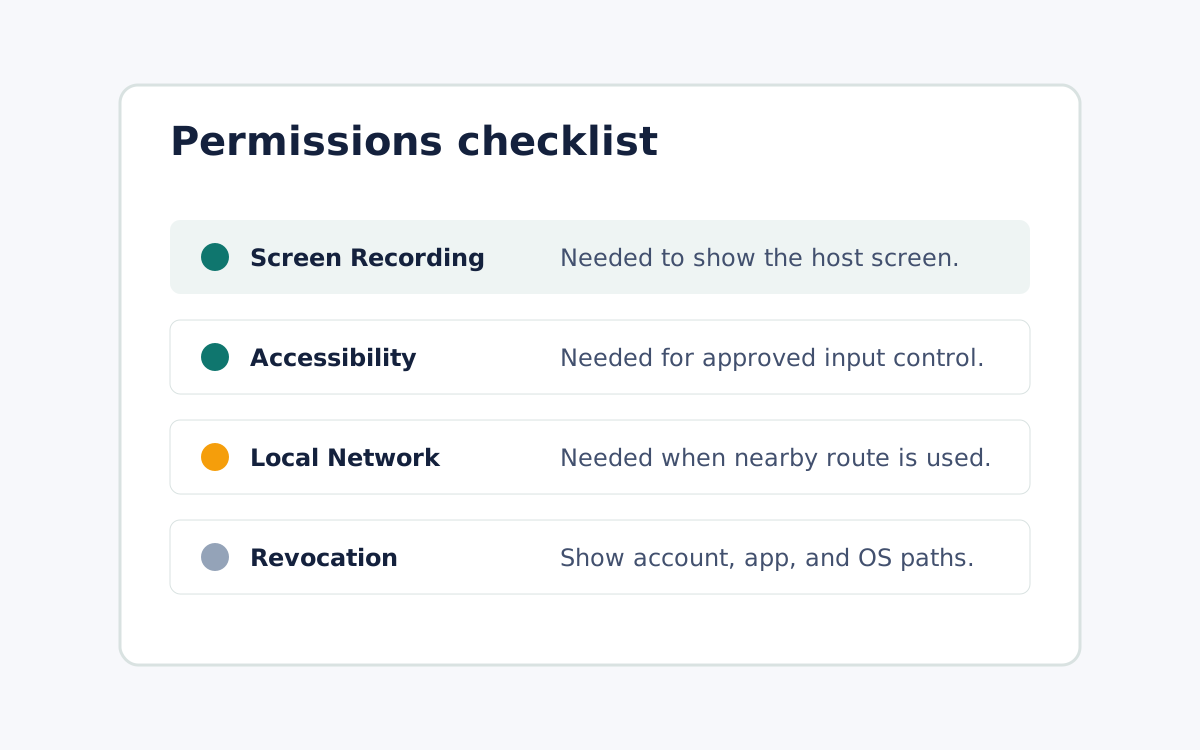
Remote Comp is phone-native remote control for supported Mac workflows, not a general cross-platform remote desktop. The host is a Mac running the menu bar agent, paired intentionally to an iPhone, iPad, or browser controller. There is no Windows or Linux host, unattended fleet management is out of scope, and only supported workflows are covered. The benefit of that smaller surface is honesty and visibility: setup, permissions, route state, and limitations stay in the open. That suits controlling a Mac you sit behind from your phone, not administering a wide estate of machines you never physically touch.
Judge speed on the route you will use
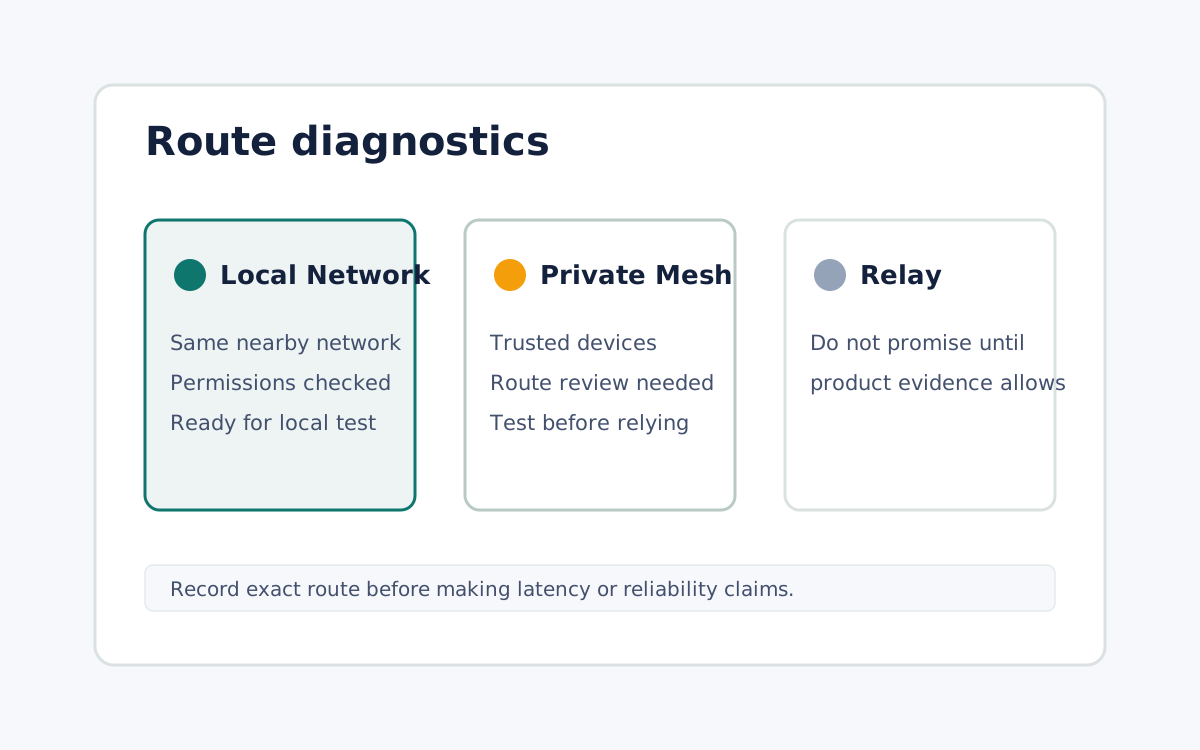
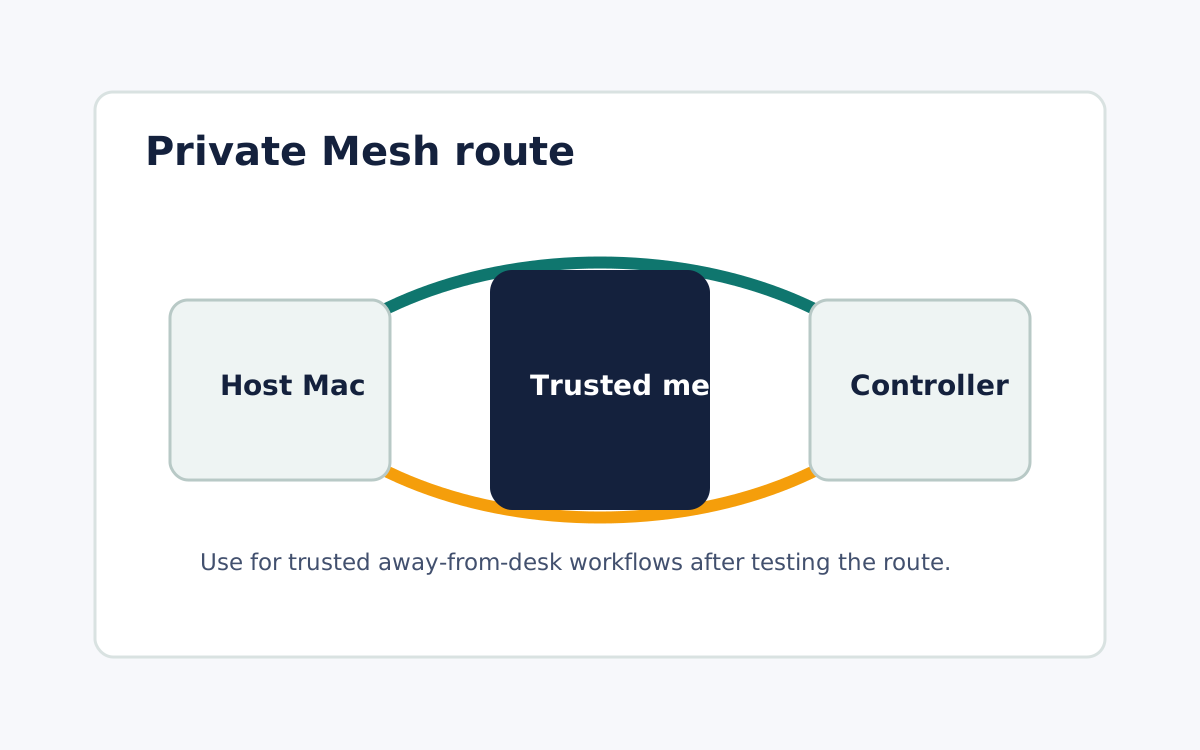
Remote Comp uses a Local Network route when devices can reach each other directly and a Private Mesh route for trusted away-from-desk paths, and it shows the route state before you rely on it. Reject any claim that one tool is faster in all conditions. A fair latency comparison is scoped to the exact route you will run and backed by a benchmark of that path, with the tested conditions kept attached to the number. Treat one local-network measurement as evidence for that run alone, not proof about every network, device pairing, or competing product. A tool that shows its route state gives you something to measure against, which matters as much as the raw number.
What it looks like