Short answer
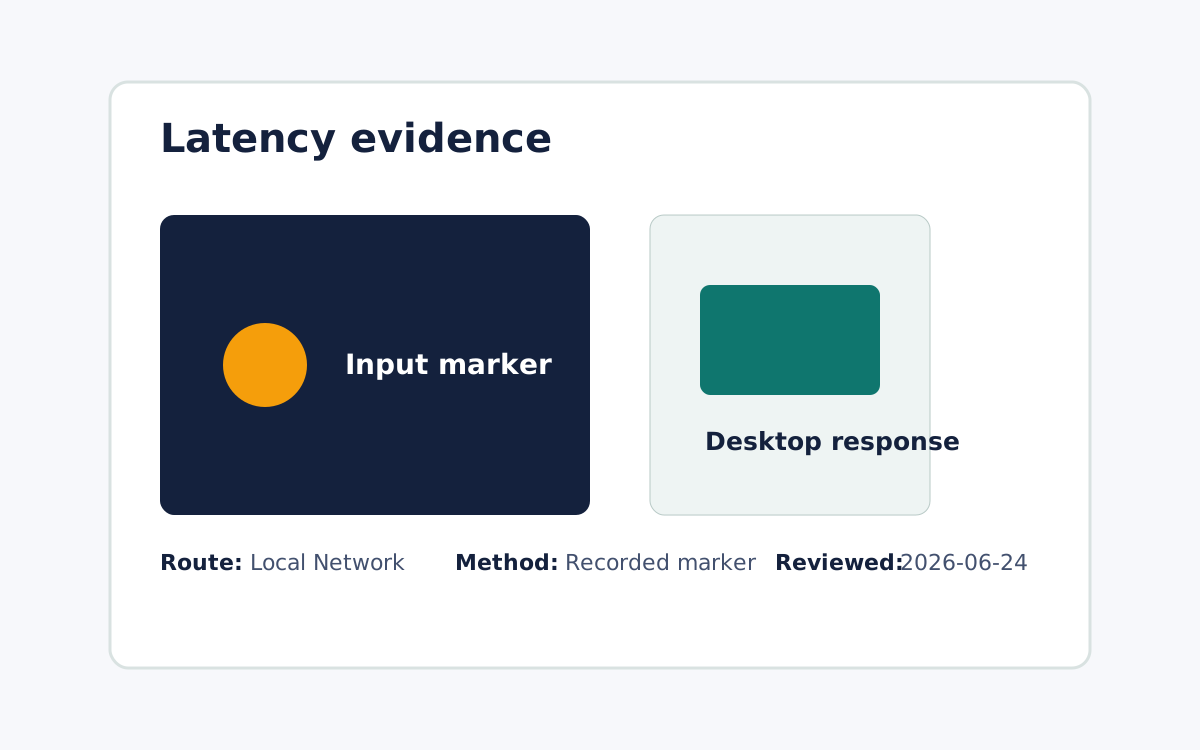
Match the tool to the task. AnyDesk is a widely used, cross-platform remote access tool for attended and unattended sessions across Windows, Linux, macOS, and mobile devices, so it suits reaching many endpoints or hosting a non-Mac machine. Remote Comp is deliberately narrower: phone-native remote control for supported Mac workflows, pairing a Mac menu bar host with an iPhone or iPad controller and keeping setup, permissions, route state, and limitations visible. Choose Remote Comp when the job is operating your own trusted Mac from your phone with the permission and route boundary in plain sight. Choose AnyDesk when you need cross-platform breadth or a Windows or Linux host, which Remote Comp does not offer. For speed, rely only on a route-scoped latency check on the path you will actually use, since a single local-network benchmark is evidence for that run rather than a universal or comparative claim.
Decide on the concrete task first
Before comparing AnyDesk and Remote Comp, write down the host, the controller device, the route, and the first task. Controlling one trusted Mac from your own iPhone is a different job from supporting a mixed fleet of Windows, Linux, and Mac machines. When the task is narrow and Mac-centered, a phone-to-Mac tool tends to fit. When the task spans operating systems or needs unattended access to machines you do not sit at, a broad cross-platform tool tends to fit. The task, not the brand, should drive the choice.
What AnyDesk covers at the category level
AnyDesk is a general remote access product. At a durable level it supports attended and unattended connections across Windows, Linux, macOS, and mobile platforms and is used broadly for remote support and administration. We do not quote its pricing or list perishable feature specifics here, because those shift over time and are outside what we can verify. The durable point for this comparison is that AnyDesk is the cross-platform, wide-reach option: its strength is connecting to many kinds of endpoints rather than specializing in controlling your own Mac from a phone.
Where Remote Comp fits and where it stops
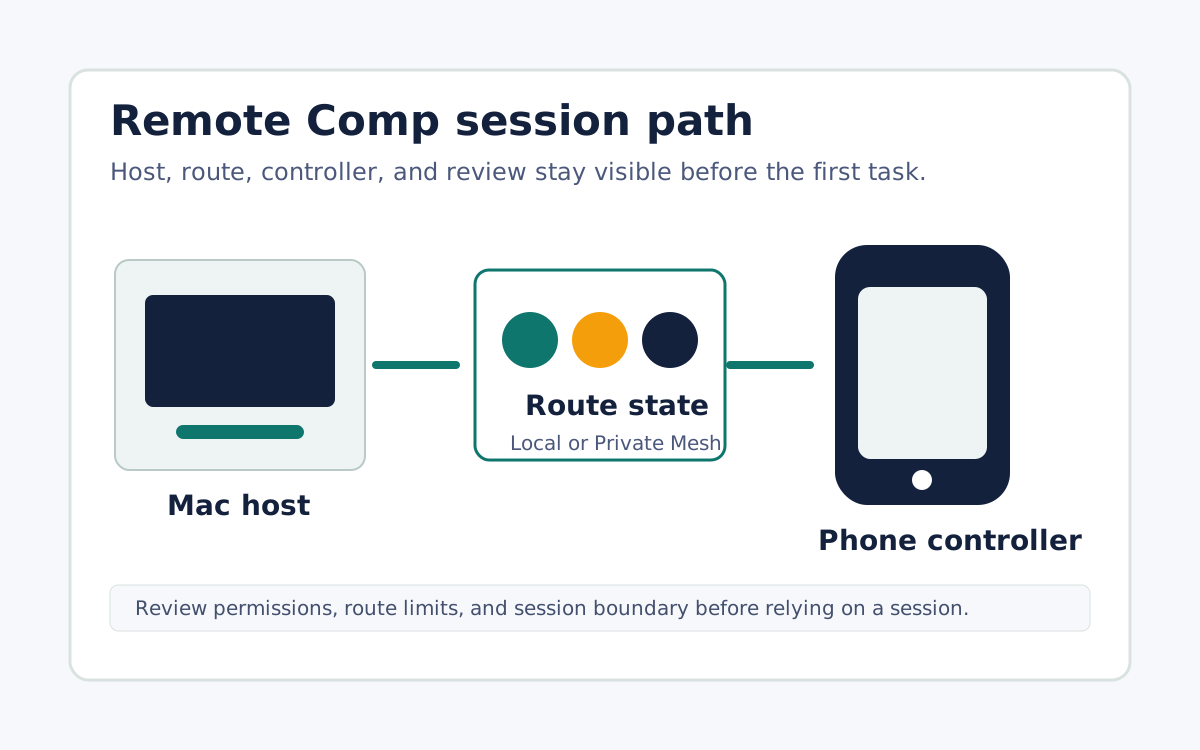
Remote Comp is phone-native remote control for supported Mac workflows and is not a general cross-platform remote desktop. The host must be a Mac running the menu bar agent, paired intentionally to an iPhone, iPad, or browser controller. It does not provide a Windows or Linux host, it is not an unattended fleet manager, and only supported workflows are in scope. The upside of that smaller surface is visibility: setup, permissions, route state, and limitations stay in the open, which suits operating a Mac you own from your phone rather than administering endpoints you never physically touch.
Keep any speed claim tied to a tested route
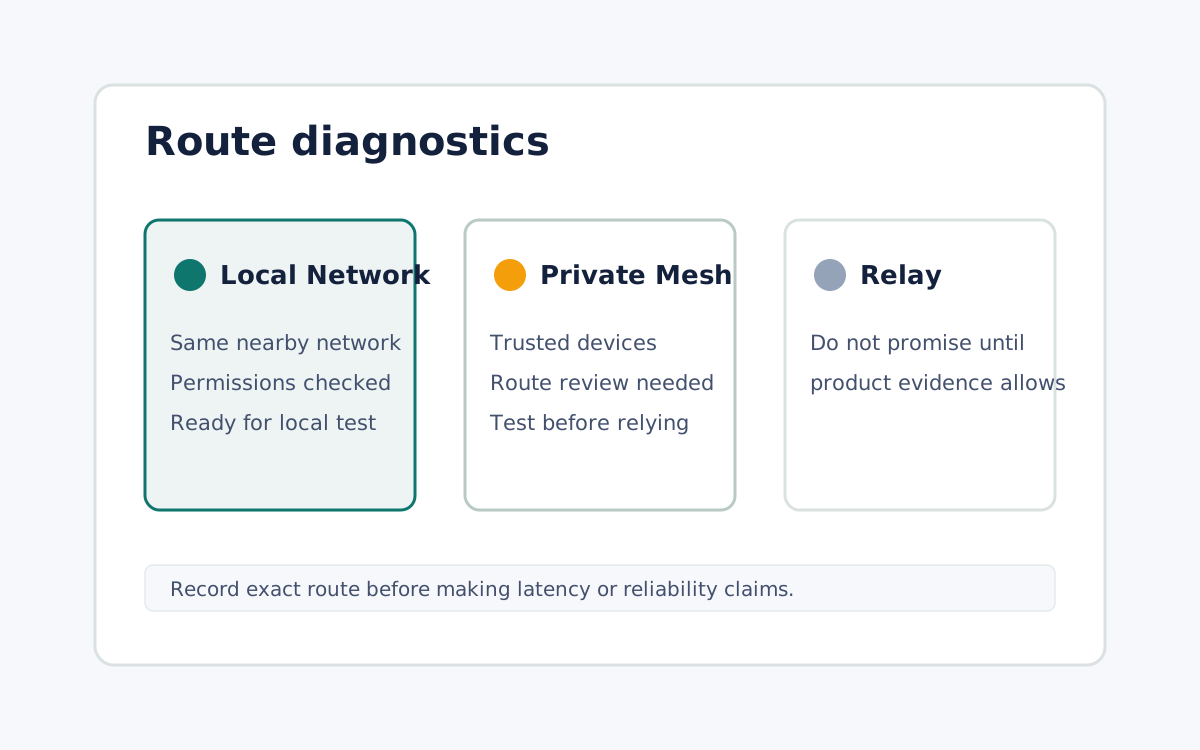
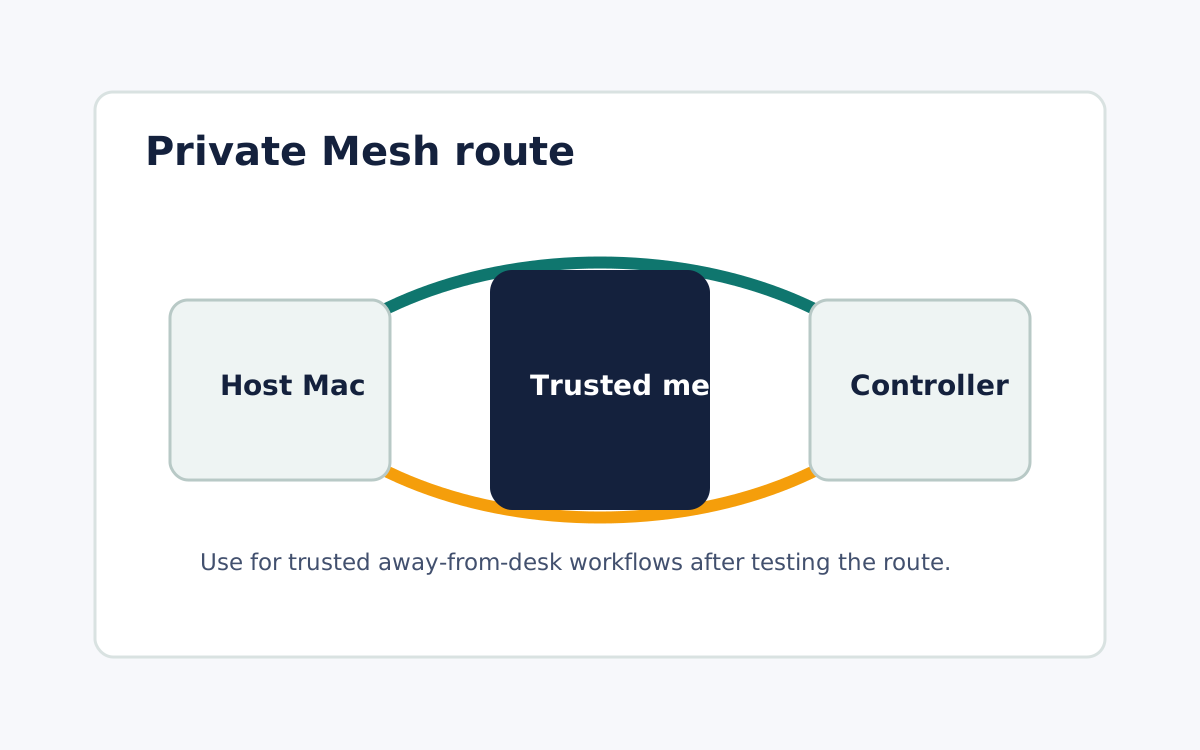
Remote Comp uses a Local Network route when devices can reach each other directly and a Private Mesh route for trusted away-from-desk paths, and it shows the route state before you rely on it. Do not accept a claim that one tool is faster everywhere. Any latency comparison should be scoped to the specific route you will use and backed by a benchmark of that path, with the tested conditions kept attached. Treat one local-network measurement as evidence for that single run, not proof about every network condition, device pair, or competing product. Being able to see the route before the session is itself part of what you should weigh in the comparison.
What it looks like