Direct answer
For support and ops, Remote Comp should be used as a short, authorized session: ask for permission, start the host at the problem, keep route state visible, resolve the issue, document what changed, and disconnect.
Steps
Ask for permission in plain language
Before the session, explain what the operator needs to see, what they need to control, and when the session will end.
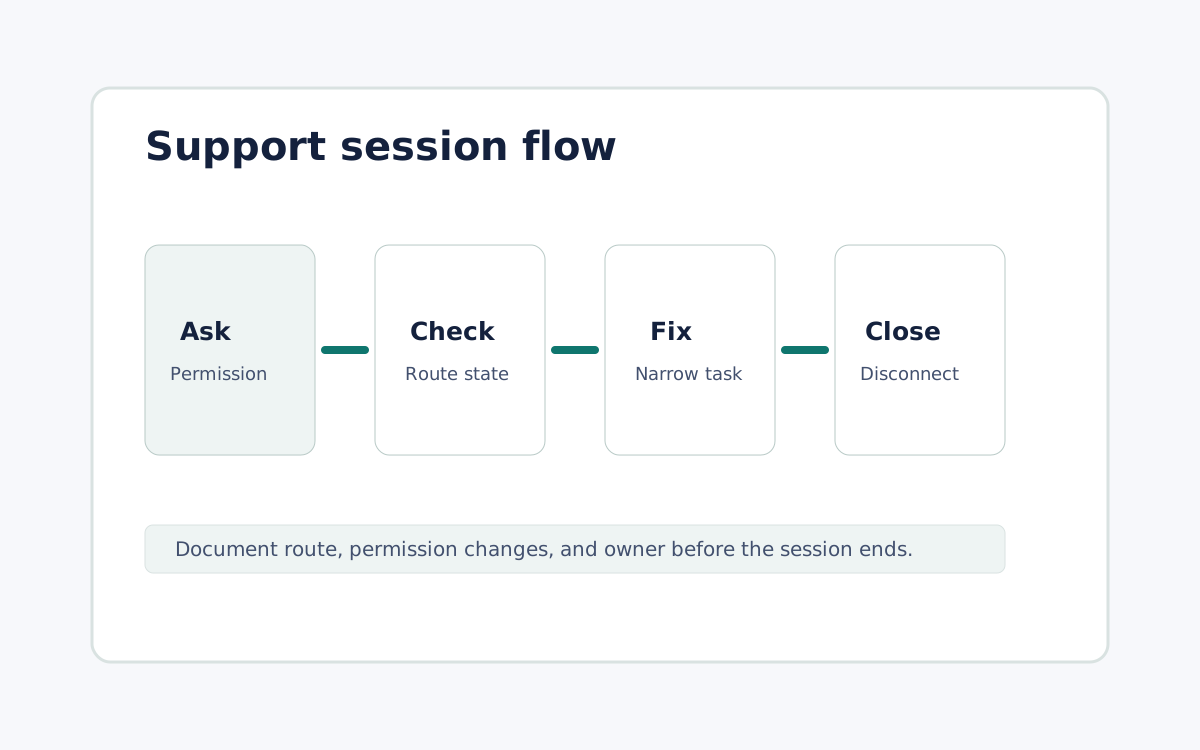
Start at the problem
Have the person with the host open the affected app or state before sharing the controller path.
Resolve, document, and disconnect
Record the symptom, cause, route used, permissions changed, and next owner before the session ends.
FAQ
Is this for unattended fleet management?
No. Device management, logging, and automated remediation should remain separate systems.
What should an operator avoid during a session?
Do not collect passwords, private keys, payment details, or unrelated personal information through the session.
Did this help?
Review permission language
Open